AI budget agent
Start a standalone budget or link it to an existing proposal, then add the solicitation and supporting files. The agent uses those sources and asks for missing inputs while building the cost model.


Build the workbook, explain the assumptions and bring your team together to review the numbers.
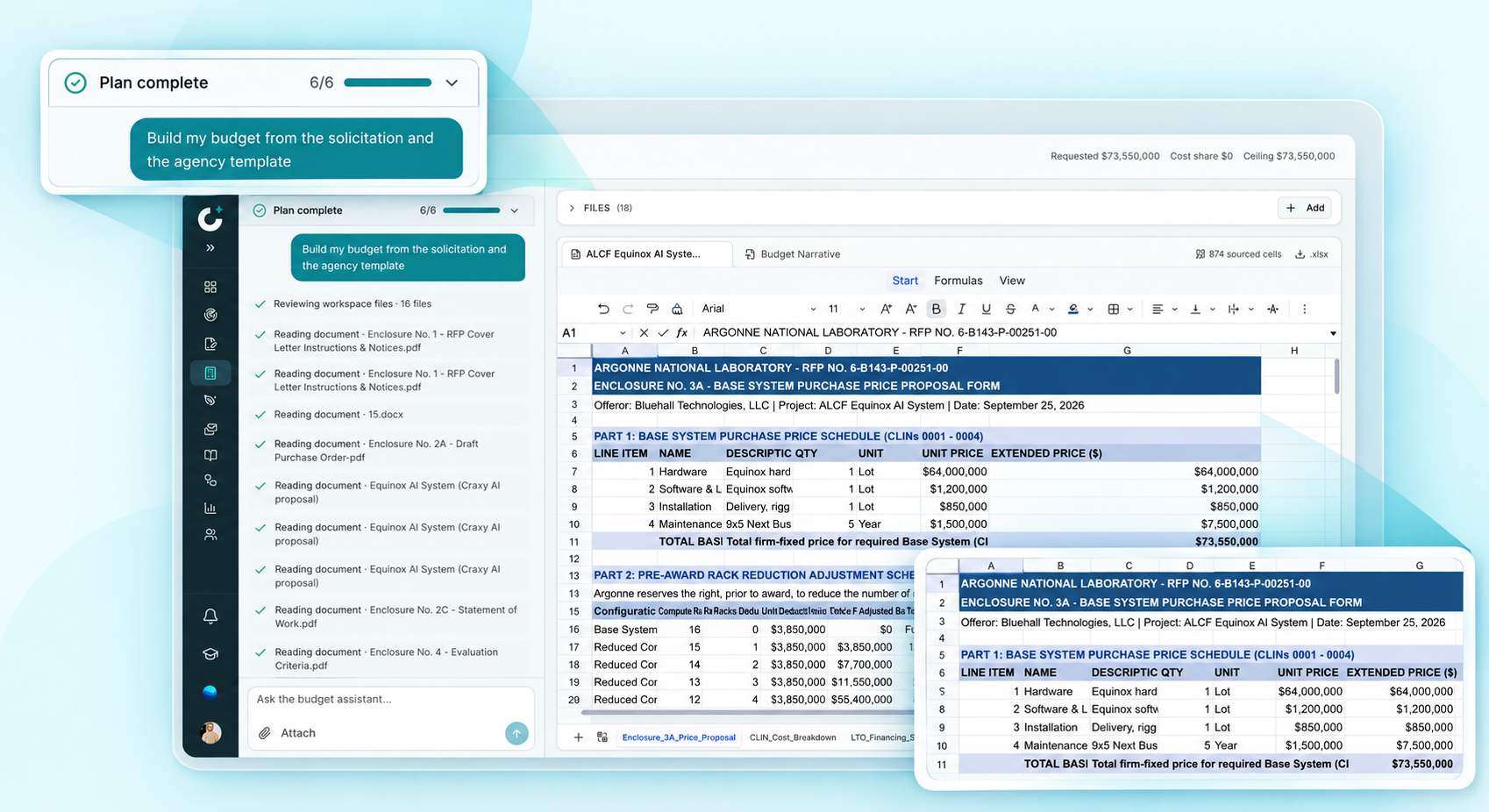
Bring the solicitation, supporting files and buyer template into one budgeting workspace.
Start a standalone budget or link it to an existing proposal, then add the solicitation and supporting files. The agent uses those sources and asks for missing inputs while building the cost model.
Upload the buyer’s Excel template and work in an editable copy while preserving the original. Follow the agent’s changes in the live workbook.
Use Extra to record optional inflation, exchange-rate and bank-interest inputs. Include the rates, sources and award-specific treatment your team wants the agent to use.
Connect the workbook to the narrative and keep the underlying sources in view.
Create and edit a budget narrative or justification alongside the workbook. Review the explanation against the figures and download it as a Word document.
Inspect visible formulas and the recorded sources for numeric inputs, such as documents, rate lookups or your answers. Distinguish planning estimates from confirmed figures before approval.
Ask the agent to address selected feedback and reconcile the budget with the current technical proposal and attachments. Review the resulting changes before accepting them.
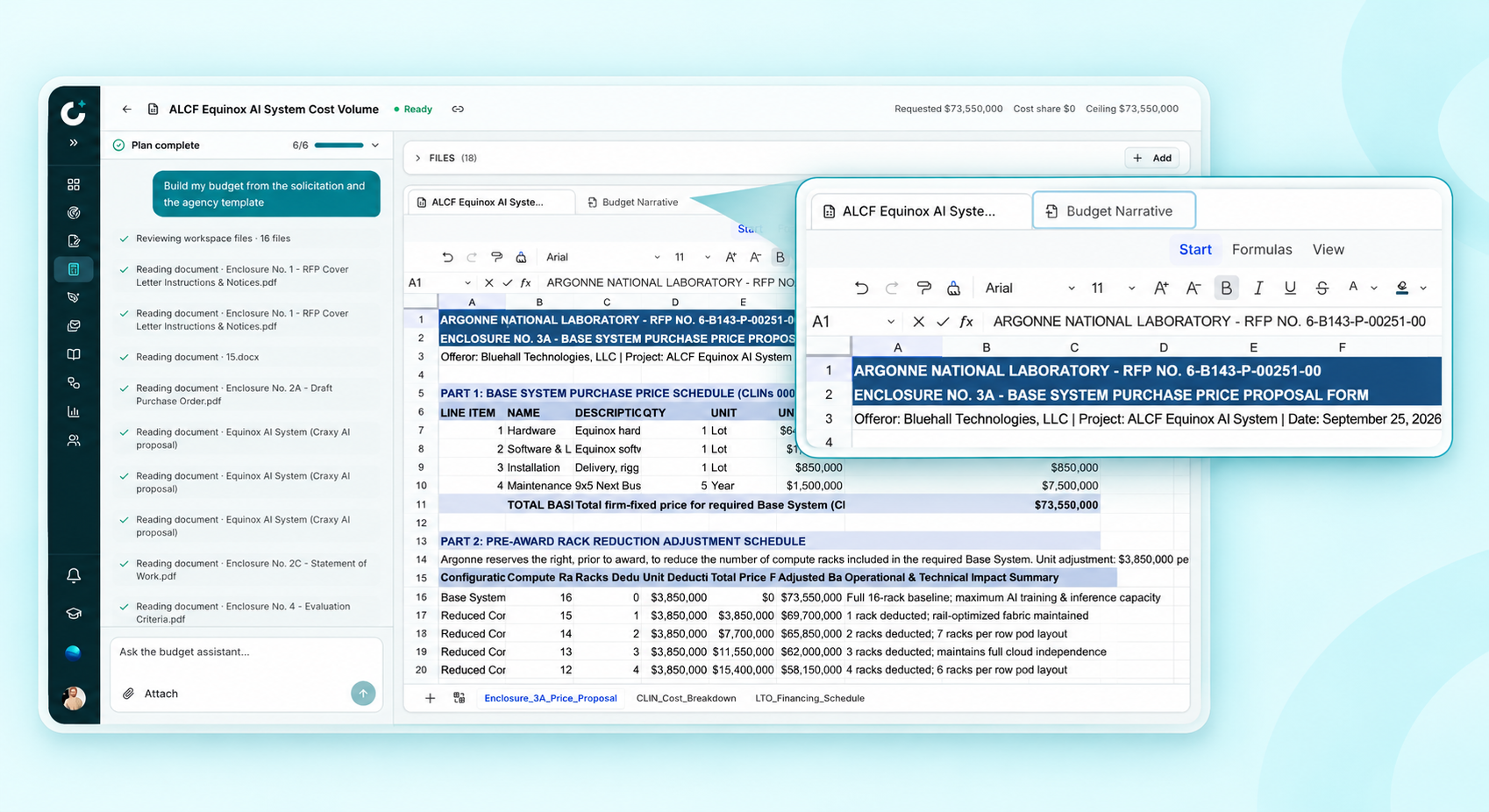
Use review checkpoints to refine the budget before it becomes part of your submission.
Use Collaborate to save versions, add comments and request reviews at Lime, Green, Gold, White Glove or Final. Stages are flexible; your team decides when to advance and resolve feedback.
Run budget checks for calculation errors, missing inputs and inconsistent totals. Review unresolved issues, then download the workbook as Excel and the narrative as Word.
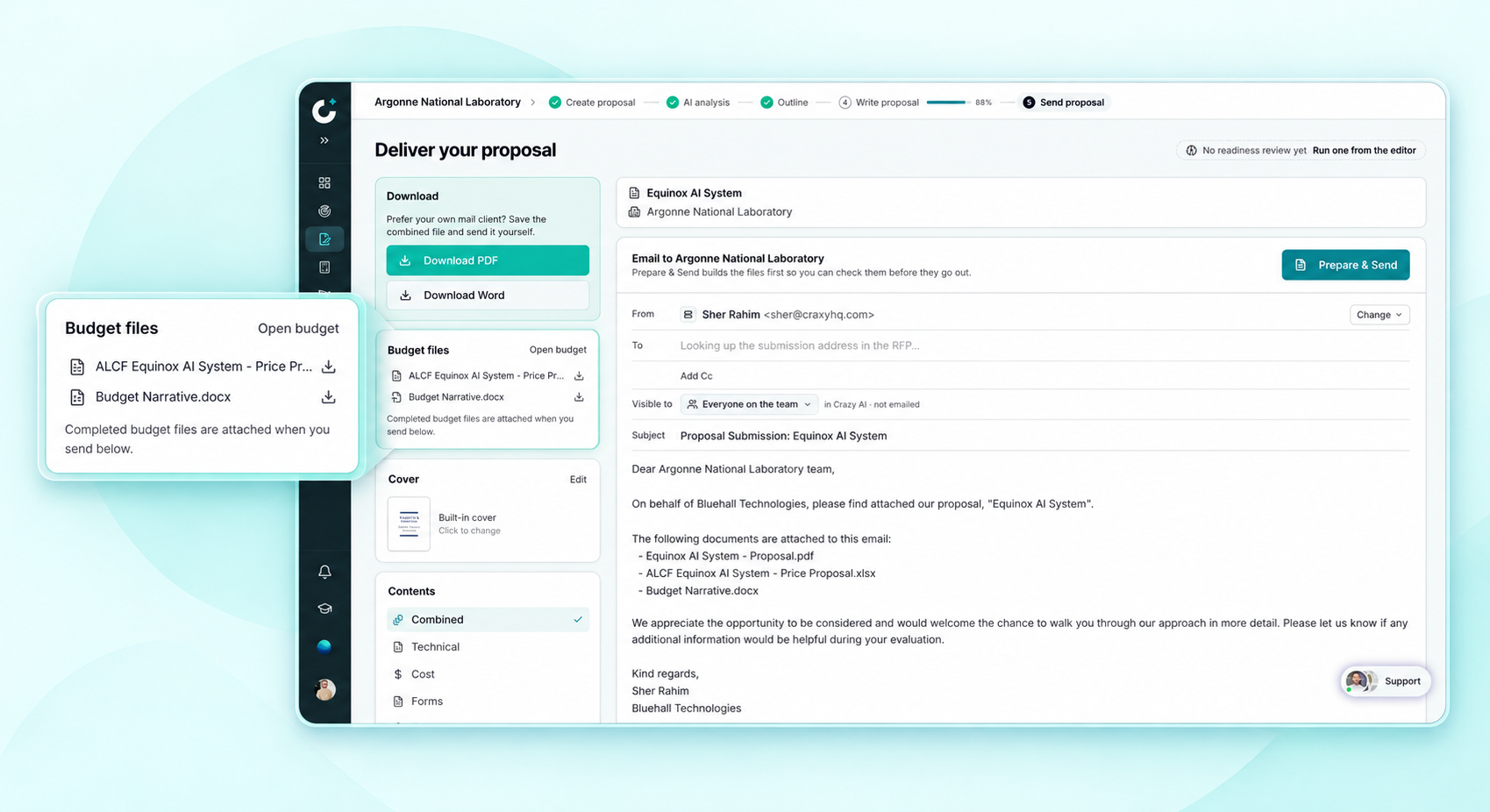
Keep the cost volume connected to the rest of your response. Explore proposal writing or read the budgeting and team reviews guide.